
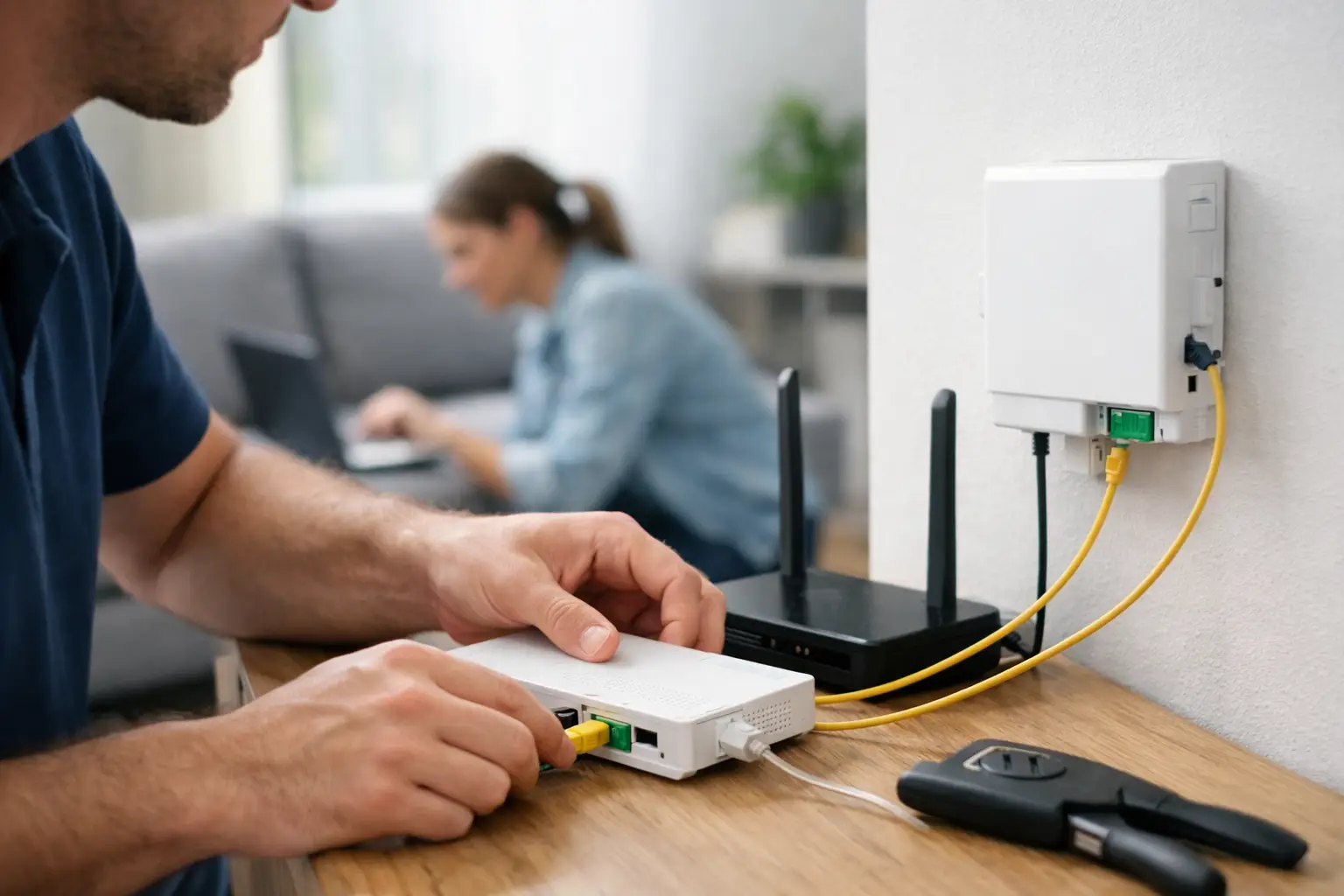
When your household is running video calls, streaming in 4K, downloading games and keeping smart devices connected all at the same time, your internet needs to be not just fast but also stable. That's where the answer to "how is fiber internet installed?" comes in: it's a practical process that starts with the right infrastructure check and ends with a connection test. Most of the installation is carried out by an authorized team; your job is to take care of the preparations before applying and decide on the best spot for the modem in your home.
How is fiber internet installed?
The fiber installation process generally consists of checking infrastructure availability, applying for a subscription, scheduling an appointment, bringing the fiber line to your building or apartment, setting up the devices and testing the connection. How long it takes depends on the existing infrastructure in your building.
If your building already has active fiber infrastructure, the process is usually quicker. In buildings the fiber line hasn't reached yet, field work, approval from building management or additional planning may be required. For this reason, the estimated installation time given at the application stage may vary depending on the technical conditions at your address.
1. Check the fiber infrastructure at your address
The first step is finding out whether fiber service is available at your address. When checking availability, it's important to enter your province, district, neighborhood, street, building and apartment details in full. Even two buildings on the same street can have different infrastructure.
If the result shows fiber infrastructure, you can review the available speed options and package terms. Especially for people who work from home, play online games or run small businesses on cloud-based applications, looking at download speed alone isn't enough. Upload speed, modem capacity and the number of devices connecting at once also affect your choice.
If the result shows a VDSL or wireless internet option, that doesn't always mean fiber can't be installed at that address. Investment plans for the area and the in-building wiring should also be assessed. Confirming the right solution for your address with a provider like Tepenet that offers different infrastructure options helps you avoid choosing the wrong package.
2. Complete your application and track the approval process
Once you've chosen a package, you can submit your subscription application through digital channels or authorized sales points. Your ID details, contact information and installation address are verified at this stage. Depending on the provider's process, the subscription agreement can be approved digitally or via e-Devlet.
When applying, provide a phone number where you can be reached about the installation. The technical team will use this number to schedule the appointment or if they need more information about the address. If you're renting, talking to your landlord or building management in advance can speed things up, especially in buildings where new cables may need to run through shared areas.
On installation day, someone over 18 usually needs to be at home. This person should be able to approve decisions such as the modem location and cable route while the team is working.
What to do at home before installation
A few small preparations before the technical team arrives help the installation go more smoothly. An unnecessarily long fiber cable isn't ideal, either visually or in terms of use, so it's worth thinking about where the modem will go ahead of time.
If possible, place the modem in an open, elevated spot that's roughly central in your home. Inside metal cabinets, behind TV units, next to thick concrete walls or in areas with lots of electronics such as the kitchen, wireless coverage can suffer. In large homes or multi-story buildings, a single modem may not deliver the same performance to every room. In such cases, you may need a mesh Wi-Fi system or an additional access point.
There should also be a power outlet at the installation point. If the fiber converter, called the ONT, and the modem are separate devices, you may need two outlets. If outlets are limited, you can use a good-quality power strip with surge protection.
What does the technical team do during installation?
The team first checks the fiber distribution point in the building and the route the line will take to your apartment. If the existing wiring is suitable, the fiber cable is brought into the apartment. The cable is routed as safely and neatly as possible, in a way that won't get in the way of daily life.
Next, the fiber cable is connected to the ONT. The ONT converts the light signal on the fiber line into a network signal your modem can use. Some modems have this built in; in other setups, the ONT and modem are separate. The type of device used depends on the service infrastructure and the provider's technical standards.
Once the modem is connected, the team activates the service. At this stage, the device's internet settings, required user credentials and network profile are configured. Users usually don't need to handle these technical settings themselves. However, if you'd like to use your own modem, you should confirm before applying that it's compatible with fiber infrastructure and that you have the necessary technical details.
At the end of the installation, make sure the cables aren't bent, pinched or trapped under movable furniture. Fiber cables are delicate; sharp bends or physical pressure can affect connection quality.
Why is the connection test part of the installation?
The internet light coming on doesn't mean the installation is completely finished. After the technical team activates the connection, internet access is tested. Opening a web page is enough for a basic check, but Wi-Fi coverage and speed performance should also be reviewed.
If possible, test on both wired and wireless connections. Measuring speed with a computer connected to the modem via Ethernet cable gives a more reliable picture of the line's actual performance. In Wi-Fi tests, the phone model, distance from the modem, number of walls, nearby wireless networks and the Wi-Fi standard in use can all affect the results.
You shouldn't expect to get your full package speed over Wi-Fi in every room. For example, getting high speeds next to the modem but a noticeable drop in a distant room is usually due to wireless coverage conditions, not the fiber line. In that case, you can move the modem or consider an additional networking solution.
4 things to check after installation
- Ask the team what the normal status of the connection lights on the modem and ONT looks like.
- Change the Wi-Fi network name and password from the defaults to a strong combination.
- Check the connection on each device, such as smart TVs, computers, phones and security cameras, one by one.
- Confirm that you can access billing, package and support channels through the provider's mobile app or online service center.
Common situations during fiber internet installation
In some buildings, the fiber box is in a shared area but no cable has been run to the apartment. In this case, the team completes the in-apartment connection if there's a technically suitable route. If visible cabling is needed in shared areas, building management's stance may affect the process.
In new buildings, even if the infrastructure looks ready, the service may not have been activated yet. In that case, although the physical cable is in place, additional steps may be needed for activation. In older buildings, blocked or damaged conduits may require an alternative cable route.
Another issue is power outages. Even if the fiber infrastructure is working, you won't have internet access when the ONT and modem at home lose power. People who work from home or businesses using POS devices may want to consider an uninterruptible power supply (UPS) to cover short outages. This choice should be based on how critical continuous access is and how many devices are involved.
What to do if you need support after installation
If you have a connection problem, first check the lights on the modem and ONT. After checking the devices' power connections, turning the modem off, waiting about 30 seconds and turning it back on can fix temporary issues. Don't unplug the fiber cable or put strain on it.
If the problem persists, when contacting the support team, share the status of the connection lights, the time the problem started and whether the internet is down on all devices or just one. These details shorten remote troubleshooting time. A Wi-Fi problem and a line problem aren't the same thing, and making that distinction helps the support team run the right checks.
The best results with fiber internet installation don't come from a fast package alone, but from the right infrastructure for your address and the right setup inside your home. Check your infrastructure before applying, prepare the right spot for the modem on installation day and run the connection test while the team is still with you. That way, your internet will run with the speed and control you need from day one.







